Read Aloud - Text to speech
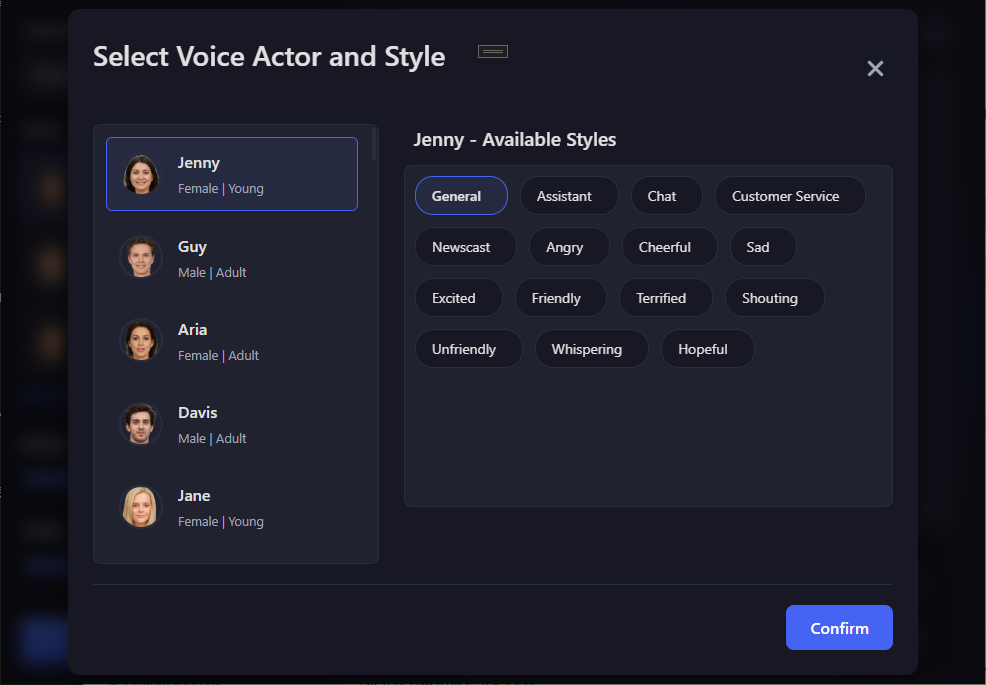
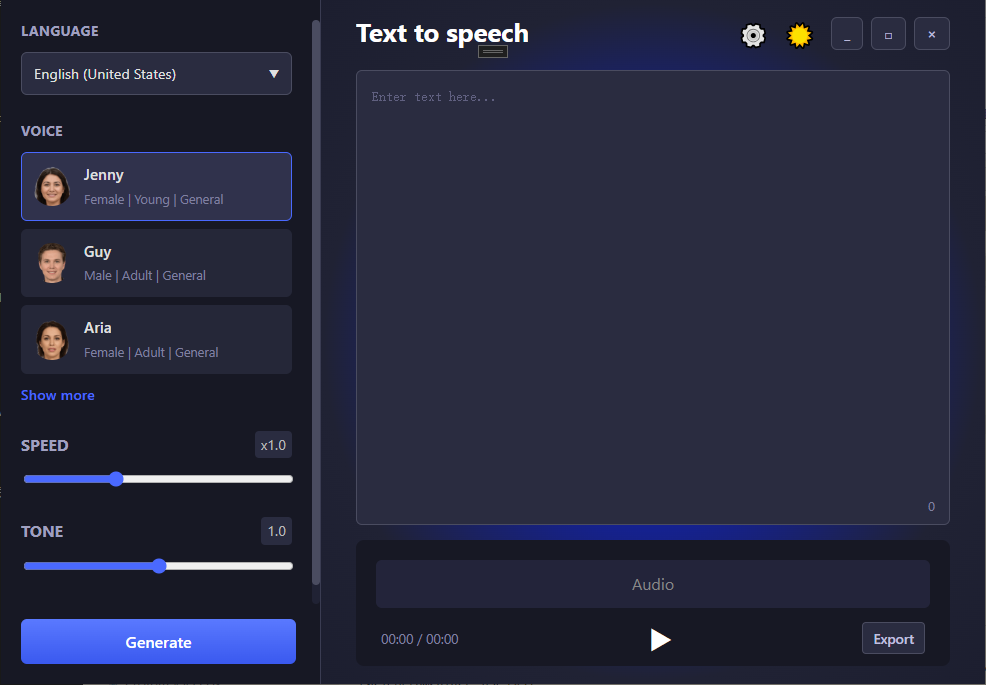
Read our comprehensive review of Read Aloud - Text to speech. Discover how this AI-powered voice generator transforms written text into lifelike audio.
The Modern Solution for Instant Audio Creation
Imagine you are putting the finishing touches on an important presentation, or perhaps you are a content creator trying to voice a new video. Recording your own voice can take hours of setup, editing, and retakes. This is where Read Aloud - Text to speech steps in as a highly efficient alternative. Developed by aidoudxr for the Windows platform, this IT tool serves as a bridge between written content and high-quality audio, transforming standard text into expressive, natural-sounding speech in just a few clicks.
Key Features of Read Aloud - Text to speech
This software is packed with robust features designed to accommodate both casual users and professional creators. Here is what makes the application stand out in the crowded field of speech synthesis:
- Vast Voice Library: Users can access over 500 AI-generated voices across a diverse range of languages and regional accents, making it easy to find the exact tone your project requires.
- Emotional Nuance: Unlike older, robotic text-to-speech engines, this application allows you to infuse your audio with specific emotional expressions such as excitement, joy, or sadness.
- Precise Audio Controls: You can quickly adjust the pitch and speed of the delivery to match your target pacing.
- Universal MP3 Exporting: Once your voiceover is finalized, you can export the file directly in standard MP3 format for seamless integration into video editors or presentation software.
Who Can Benefit Most From This Tool?
Because of its versatility, Read Aloud - Text to speech fits into several distinct workflows. For content creators on platforms like YouTube, TikTok, or Instagram, it provides quick, high-quality narrations without the need for expensive recording equipment. In educational settings, it supports language learners seeking proper pronunciation practice and assists individuals with visual impairments or reading difficulties. Additionally, businesses can leverage the tool to generate polished voiceovers for corporate training modules and promotional campaigns without hiring voice talent.
Streamlined and Accessible Workflow
The application is designed with a highly intuitive, user-friendly interface that requires zero learning curve. Because it relies on cloud-based processing, users can access their projects and generate audio efficiently without heavy local processing demands. With its blend of free and premium options, it offers a scalable solution for users of all budgets. To experience this powerful utility yourself, you can find the official listing on the Microsoft Store.